Upload Your Stage Video
Shot Streamer will automatically detect your shots
Processing Video...
0%
This may take a few minutes depending on video size.

Analyze competition shooting videos with AI
Detect shots, merge angles, add overlays. Free, no signup required.
Drop your competition shooting video into the browser. Supports MP4, MOV, and most video formats.
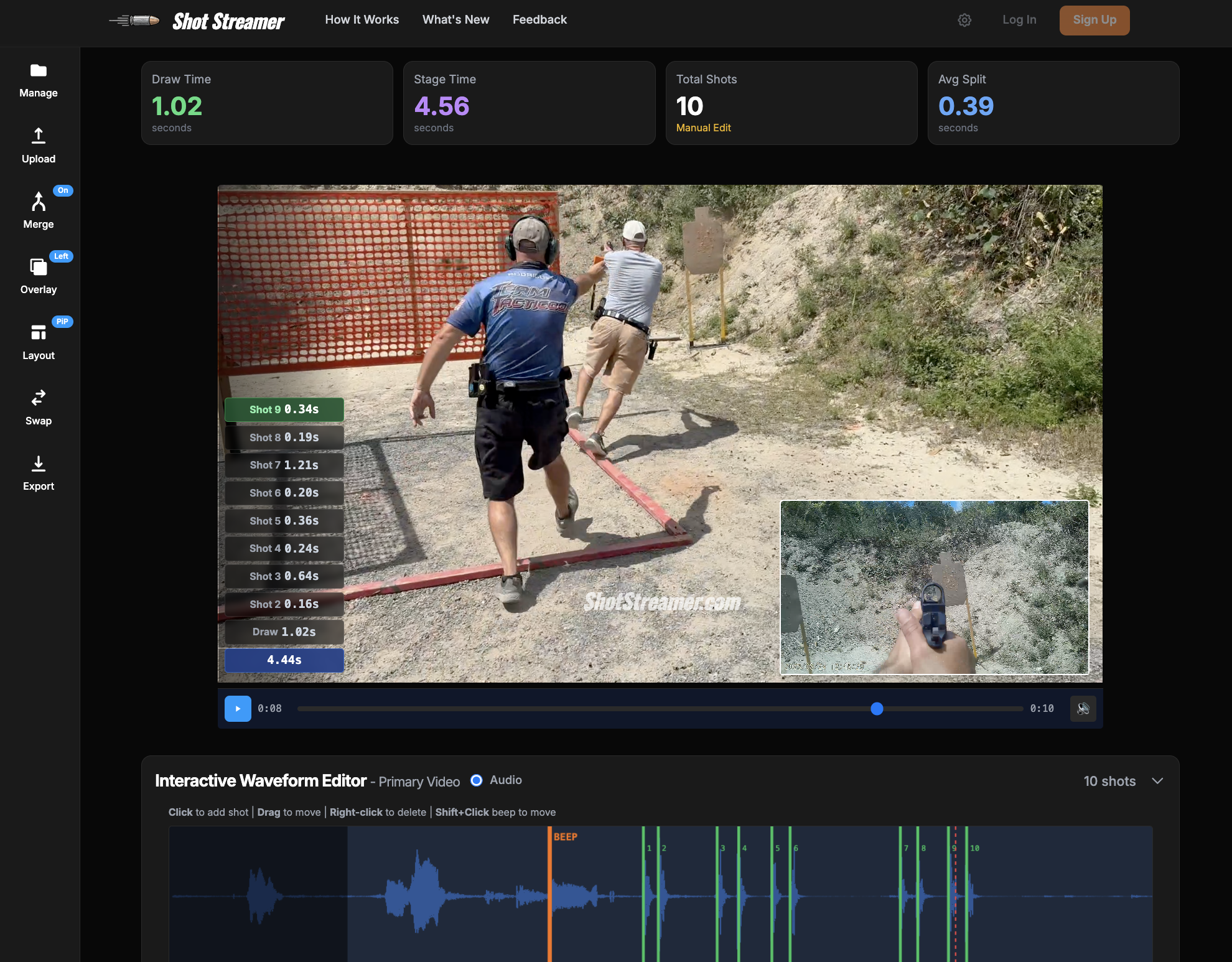
Our AI detects shots and timer beeps automatically. Fine-tune with the interactive waveform editor.
Add shot stream overlays, merge camera angles, and export professional MP4 videos ready for social media.
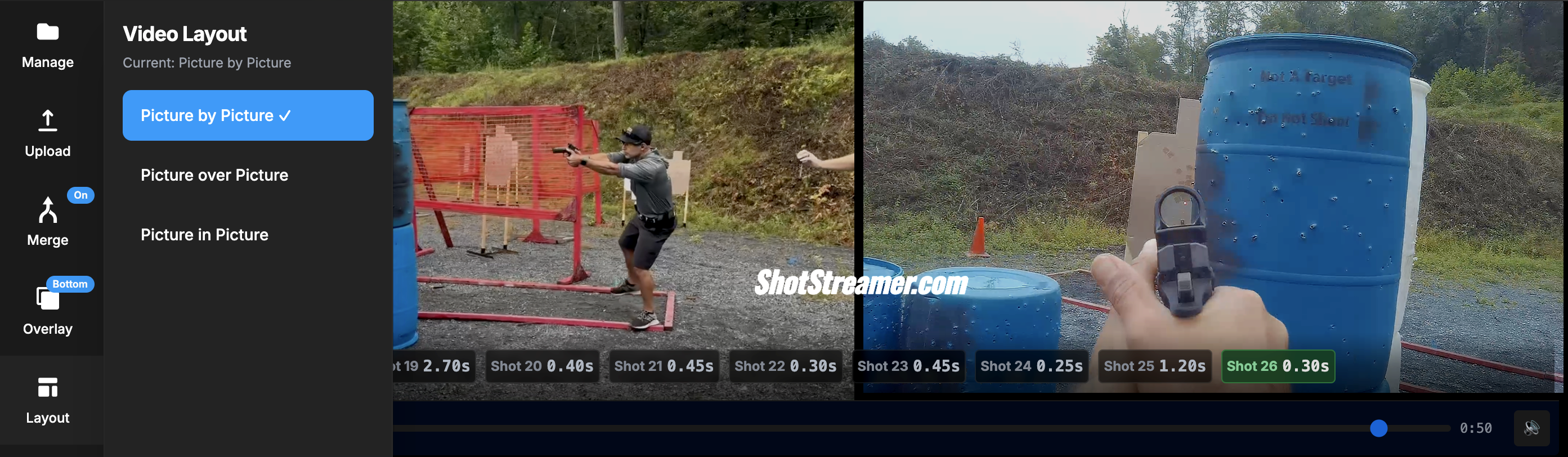
Combine shooter and target view angles into one professional video. Choose picture-by-picture (PbP), picture-over-picture (PoP), or picture-in-picture (PiP) layouts. Auto-sync using timer beeps or manually adjust with ±10ms precision for perfect synchronization.
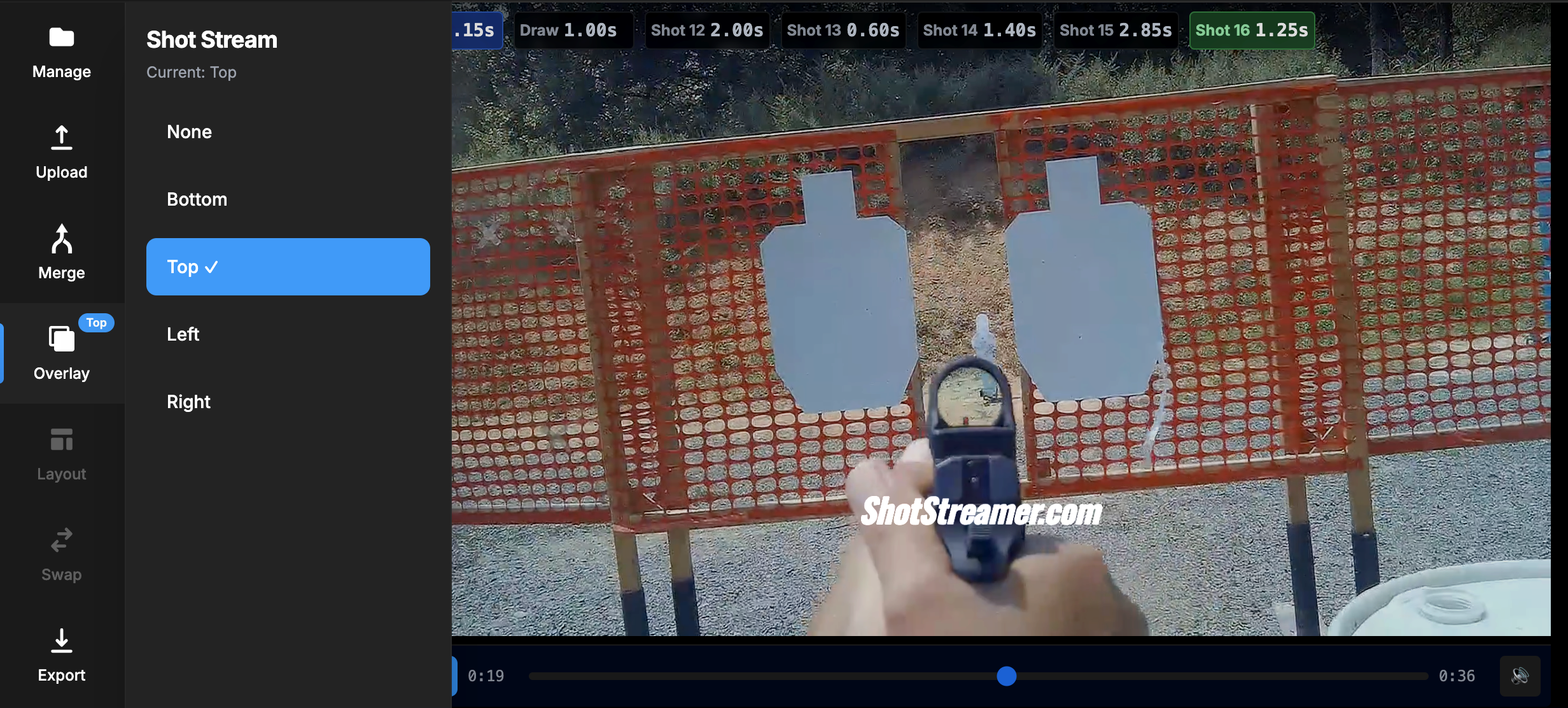
Add professional timer and split-time overlays to your videos. Choose from 4 positions (top, bottom, left, right) with gradient backgrounds that blend seamlessly. Perfect for USPSA, IPSC, and Steel Challenge competition videos.
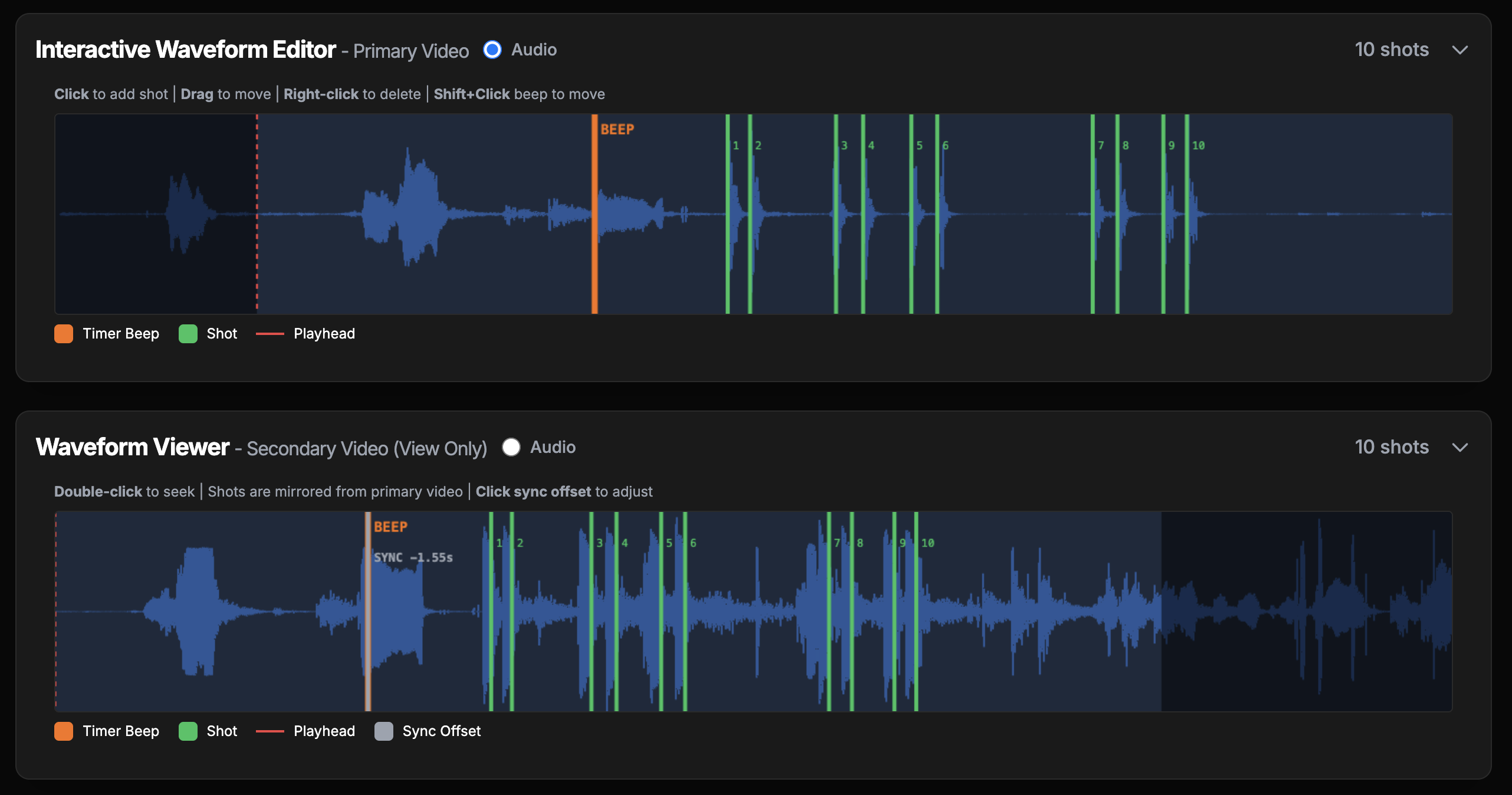
Visual audio waveform puts you in complete control. Click to add shots, drag to adjust timing, right-click to remove. The waveform displays the entire audio track so you can see exactly where shots occur and make frame-perfect adjustments.
Mark each shot with score letters (A, C, D, M, NS) and position them on your video. Animated score letters appear during playback and export, with automatic Hit Factor calculation including penalties. Perfect for stage breakdowns and training analysis.
Machine learning automatically detects shots and timer beeps with 95%+ accuracy. Our AI is trained on USPSA, IPSC, and Steel Challenge competition shooting videos.
Our machine learning model achieves 95%+ accuracy on most competition shooting videos. The AI is trained on thousands of shots from USPSA, IPSC, and Steel Challenge matches. You can always fine-tune results using the interactive waveform editor and adjust the detection sensitivity threshold (0.1-0.9) to match your specific video conditions.
No! Shot Streamer is completely free with no account required. All processing happens in your browser and on our servers. Just upload your video and start editing. We believe in making professional video analysis tools accessible to all competitive shooters.
Shot Streamer supports all major video formats including MP4, MOV, AVI, and WebM. The tool automatically handles different codecs and resolutions. For best results, we recommend 1080p or 4K footage. Exported videos are always saved as high-quality H.264 MP4 files compatible with all social media platforms.
Currently, Shot Streamer supports merging two video angles (e.g., shooter view + target view). You can arrange them side-by-side, above-below, or picture-in-picture. The videos auto-sync using timer beeps, or you can manually adjust synchronization with ±10ms precision. Multi-angle support (3+ cameras) is on our roadmap!
Absolutely. Your videos are processed on secure AWS servers and automatically deleted after processing. We never store, share, or use your videos for any purpose other than providing the analysis service. All uploads are encrypted in transit (HTTPS) and we have no access to your personal content.
Join thousands of shooters using Shot Streamer to analyze, edit, and share their best runs.
All unsaved work will be lost. This action cannot be undone.
We'd love to hear your thoughts about Shot Streamer
PNG, JPG, or GIF (max 10MB)
Upload a second video to create a side-by-side or picture-in-picture merged view.
0%
This may take a few minutes depending on video length.
0%
This may take a few minutes depending on video size.
Fine-tune the synchronization between videos. Positive values shift secondary video later, negative values shift it earlier.
Original
0.000s
Original offset: 0.000s
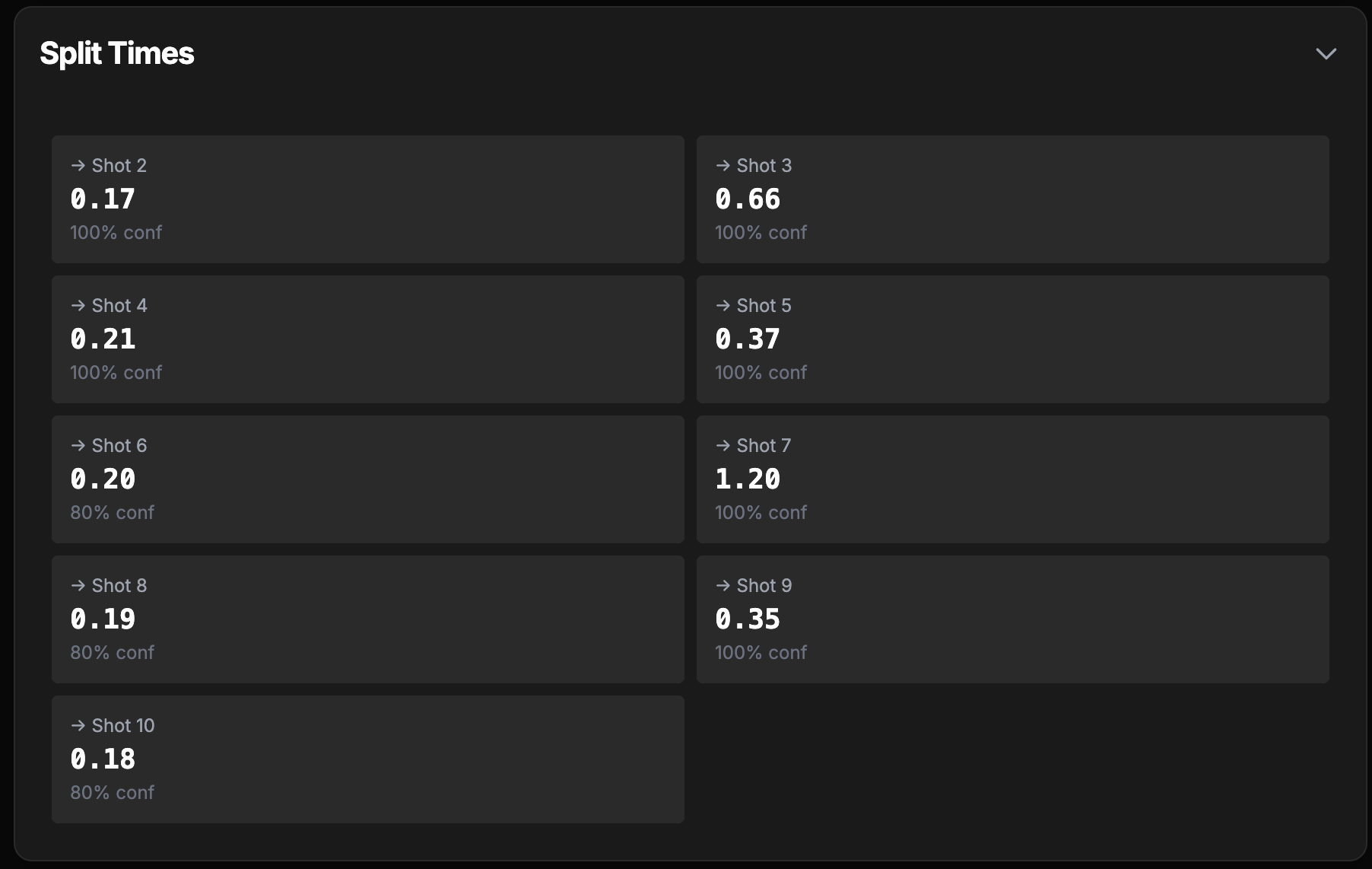
Assign a score letter to each shot. You can adjust these later in the Split Times section.
Shot Streamer will automatically detect your shots
0%
This may take a few minutes depending on video size.
Click to add shot | Drag to move | Right-click to delete | Shift+Click beep to move Tap to add shot | Long-press & drag to move | Double-tap shot to delete
Double-click to seek | Shots are mirrored from primary video | Click sync offset to adjust